Live Nova is the new generation of ASEE Live: one platform that runs an organization's omnichannel contact center and its IT service desk on a single data model. It brings twelve customer-facing channels under one routing engine, a single customer timeline, AI that leaves a reviewable record of everything it does, a complete ITIL-aligned service desk, and a long list of improvements that make everyday work faster for our clients' contact center and service teams.
ASEE Live is developed continuously, with new releases arriving on a steady cadence. This post brings the most important capabilities of Live Nova together in one overview, organized by what they change for our clients. Over the coming weeks, each section below gets its own detailed post.
Why we rebuilt it
Few organizations choose a fragmented set of customer tools. They accumulate one, a tool at a time, each good at its own job. The cost sits in the space between them: a customer's call lives in the phone system, the follow-up email in a shared mailbox, the evening chat in a third tool and the underlying fault in a service desk. Context gets re-gathered at every hand-off, the service clock changes hands between products, and the audit trail ends up split across partial logs.
Live Nova was built to remove those joins. It does that by holding five things in common across every channel:
One contact record. Every interaction on every channel writes to the same customer record and history.
One work item. A call, an email and a web form all raise the same kind of ticket, so a request doesn't restart when the customer switches channels.
One routing engine. Skills, queues, working hours and priorities are defined once and applied to voice, email, chat, SMS, social messages and video, under one agent availability status.
One reporting engine. Service levels, agent performance, campaign results and service desk compliance come from the same data, instead of being reconciled between tools.
One security and audit model. Roles, field-level rights, retention and change history are set once and enforced everywhere.
Every channel, one conversation
Live Nova supports twelve customer-facing channels natively: telephone, email, chat, SMS, fax, letter, video chat, web forms, and WhatsApp, Viber, Facebook Messenger and Telegram through each platform's official interface. Every one of them feeds the same ticket, the same customer record and the same reports, so a newly enabled channel inherits the rules already in place instead of arriving with its own console.
On top of that foundation, Live Nova adds:
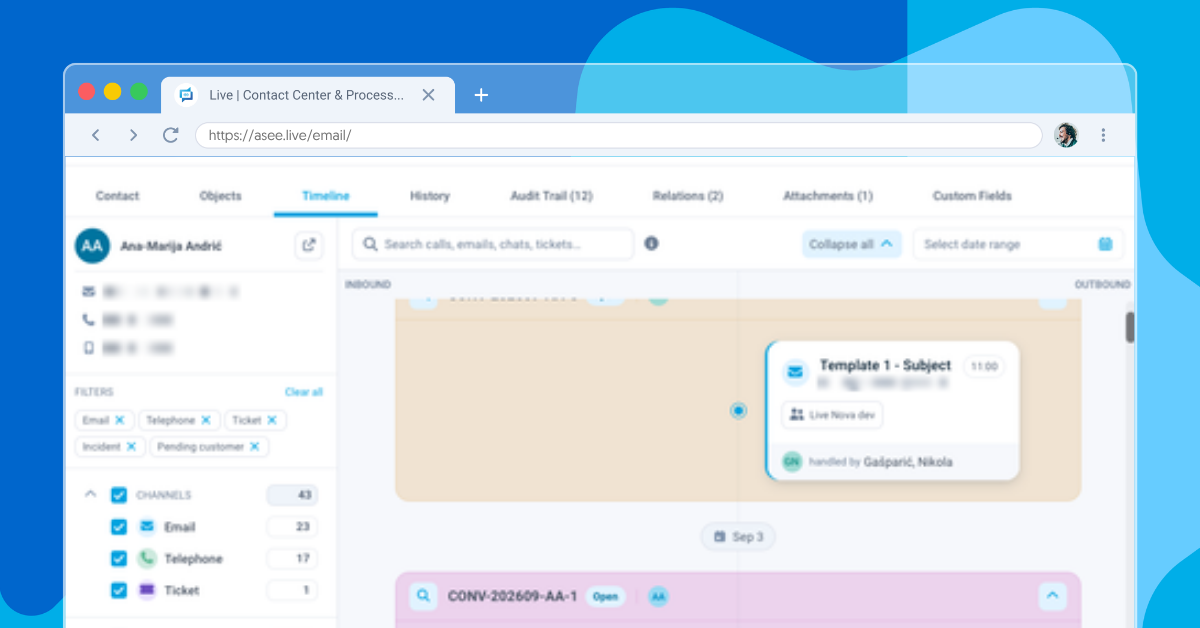
A customer timeline. Every interaction with a contact sits on one chronological timeline: calls, emails, chats, SMS, social messages, fax and video, together with ticket events, with channel filters, search and one click to open the original interaction.
Omnichannel conversations. Calls, emails, chats and messages that belong to the same exchange are grouped into one conversation, so an agent sees the whole story rather than separate fragments.
View 360. One workspace bringing together a customer's tickets, accounts, services and assets.
Richer contact records. A contact can hold as many phone numbers, email addresses and web addresses as needed, each with its own category, and caller recognition, search, duplicate checks and campaigns use all of them.
No conversation left behind. Chats and video calls that a customer abandons before an agent picks them up now land in their own list, so the team can follow up by email or phone.
AI where contact center already works
AI in Live Nova is built to be accountable: every automated action leaves something a person can review.
AI voice agent on the phone channel. A voice agent sits inside the call flow the organization already runs. The share of calls it takes is a setting on the skill group, from every call to every fifth call or anything in between, and a named human group takes the rest, plus every call the voice agent hands back.
A full record of every automated call. Within about a minute of the automated part ending, the platform writes a conversation record with an AI-written summary, a turn-by-turn transcript, and an evaluation against each criterion the organization defined, each with written reasoning. Zero-retention settings mean the AI service keeps no caller audio; transcripts and recordings stay on the organization's own server under its own retention policy.
Voice agent reporting. Dedicated reports show how many calls the voice agent handled, how many it completed without passing them to an agent, and how closely its categorization matched the one agents chose.
An AI assistant inside the application. The assistant (Copilot) works beside the user, acting only with that user's permissions. During a call it shows a live transcript, and afterward it writes a short summary with sentiment, category and resolution. Its answers can draw on FAQ entries, knowledge articles, resolved tickets and shared document folders, and every user only gets answers from what they are allowed to read.
Live Assist. During a transcribed call, the assistant suggests knowledge articles that match what is being said, so the agent has the right answer while the customer is still talking.
AI Agents. A new module for building AI agents that can call external tools over standard interfaces and answer from knowledge bases filled with the organization's own documents.
All AI capabilities are available to switch on when an organization is ready. Book a demo to see how they would work in your contact center.
Faster, easier work for contact center teams
Many of the improvements in Live Nova focus on the everyday work of agents and supervisors, so teams spend less time on the tools and more time on customers:
A phone in the browser. The softphone is part of the application, so putting someone on the phone channel takes a headset and a login. The delay between answering a call and hearing the caller went from a few seconds to near-instant.
Clearer calls. An active call indicator shows which line is in use, who is on it and for how long, and an outgoing call is visible while it is still ringing. A built-in connectivity check tests the microphone, speaker, browser and connection, and tells the agent exactly what to fix.
Fewer missed customers. Callers waiting too long can be offered an automatic callback instead of holding. Repeated attempts from the same number collapse into one entry, and are marked as contacted once the caller reaches an agent.
Supervisors see live context. A supervisor can see the contact and the ticket attached to an agent's call while the call is still running, and dashboards update the moment their figures change.
A cleaner email workspace. Named toolbar buttons, a compact header that leaves room for the message itself, and status changes for many emails at once.
Make it yours. Dark mode, profile pictures, and color themes built from a single brand color, with the organization's own logo on the sign-in screen.
Accessibility. A whole call can be run from the keyboard, screen readers narrate the telephony and email workspaces, and one key opens the full list of shortcuts.
Service management and ticketing at the contact center
Ticketing is now the hub for all customer work, with configurable workflows, states, transitions, priorities and escalations. A complaint arriving on WhatsApp and an IT change request are the same kind of record, with the same audit trail.
A complete IT service desk. Configuration management with an interactive dependency graph, change management with risk and multi-step approval models, service level management for SLAs, OLAs and underpinning contracts, and an ITIL reference model that works on a freshly installed system.
Statutory deadlines. A priority can calculate a legal deadline in working days, skipping weekends and public holidays, and escalate a set number of working days before it is due. Each escalation level can carry its own color in the ticket list.
Isolated ticket types. Sensitive cases can be visible only to the people who created them or the group they are assigned to.
Smarter categories and approvals. Ticket categories can have a validity period, so seasonal categories disappear when their time ends, and approvals can follow whoever is assigned to the ticket.
Knowledge and self-service. Tagged FAQ entries, a dual knowledge base for customers and resolvers, and a self-service portal with a hierarchical service catalog.
Security, compliance and choice of deployment
Caller authentication. Agents can verify a customer's identity during an interaction, now including push confirmation on the customer's own device, PIN and manual checks.
Stronger sign-in. A second sign-in step with an authenticator app, automatic account creation at first single sign-on, and more granular administrative rights, so administration can be delegated precisely.
Data protection on live data. Consent tracking, access and deletion requests, anonymization, and scheduled deletion of files and communication records from resolved tickets.
Outbound compliance. Synchronization with the national Do Not Call register, checked before a number is dialed.
Email controls. Approval before sending for selected teams, and automatic recognition of messages marked Private or Confidential.
Deployment your way. On-premise, managed private cloud or software-as-a-service, all with the same features, plus multi-tenancy with fully isolated data and support for both MySQL and Oracle databases.
What comes next?
Live Nova keeps evolving with every release. If you'd like to see any of the above on your own processes, feel free to book a demo.
Frequently asked questions
Live Nova is the latest generation of ASEE Live: one platform that runs an omnichannel contact center and an ITIL-aligned IT service desk on a single data model, with one customer record, one ticket engine, one routing engine, one reporting engine and one security model.
Twelve customer-facing channels: telephone, email, chat, SMS, fax, letter, video chat, web forms, WhatsApp, Viber, Facebook Messenger and Telegram, plus internal messaging between users.
Yes. It offers an AI voice agent on the telephone channel, an in-app AI assistant with live call transcripts and summaries, knowledge suggestions during calls, and a module for building AI agents. Each is switched on by the organization when it is ready.
Every automated call leaves a transcript, a summary and a per-criterion evaluation on the organization's own server. Zero-retention settings mean the AI service keeps no caller audio.
Yes. It is available on-premise, as a managed private cloud or as software-as-a-service, with the same features in each.
Yes. The same modules are configured for banking, insurance, telecommunications, utilities, the public sector and retail.
Related posts
Insights
What Changes When IT Service Management and Customer Service Share One Platform